

Using AI Assistant
Ask questions about your labs, sessions, and student submissions using PomeLabs' built-in AI helper.
The Assistant is PomeLabs' built-in AI helper. It reads real data from your organization, your labs, sessions, classes, and student submissions — helping you answer questions in plain language instead of digging through menus and reports.
Opening the Assistant
- In the left sidebar, under Teacher's Desk, select Assistant.
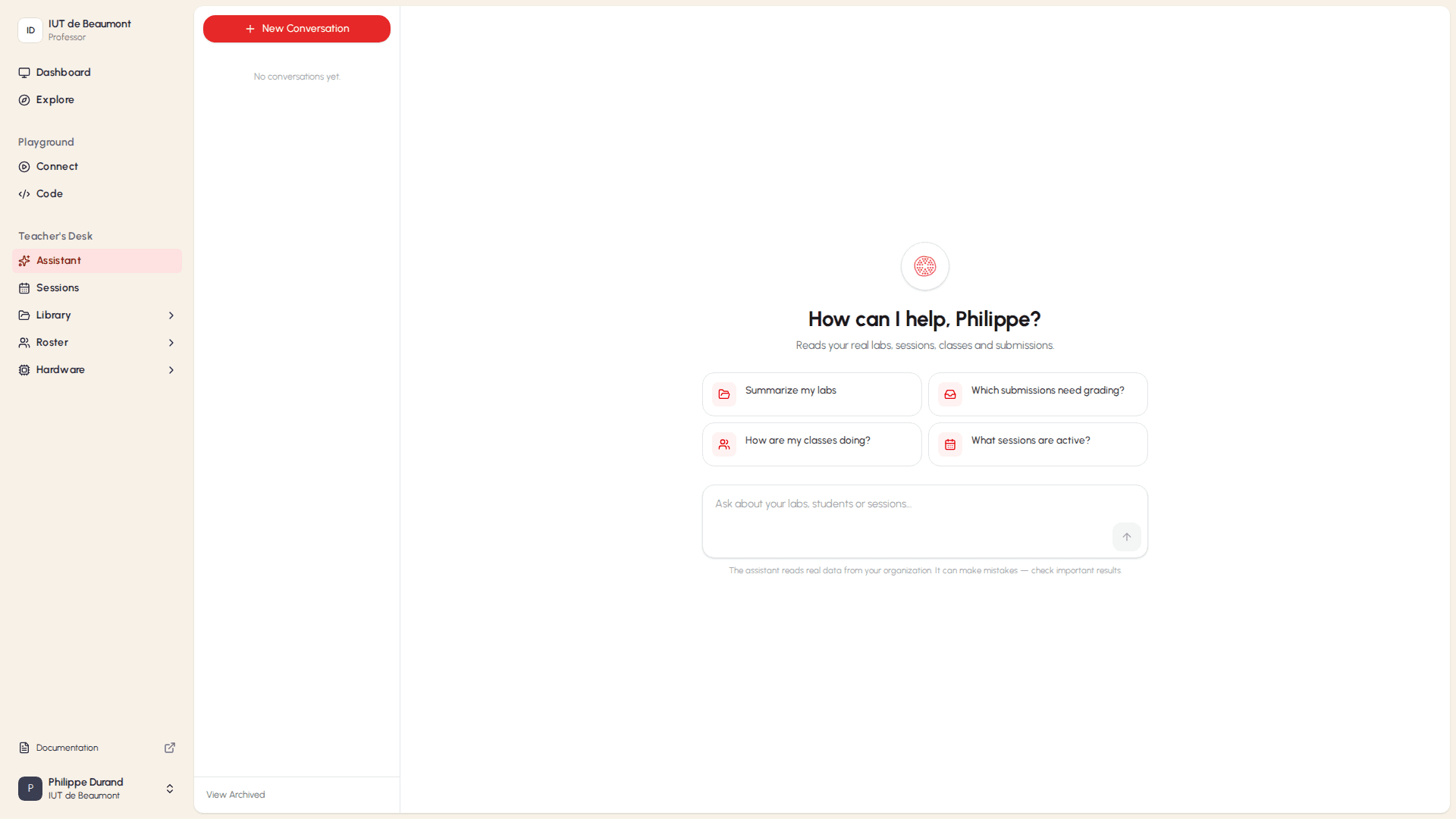
The Assistant opens to its home screen, showing How can I help, [your name]? and a set of suggested prompts.
Starting and Managing Conversations
The middle panel of the Assistant lists your conversations, grouped by date.
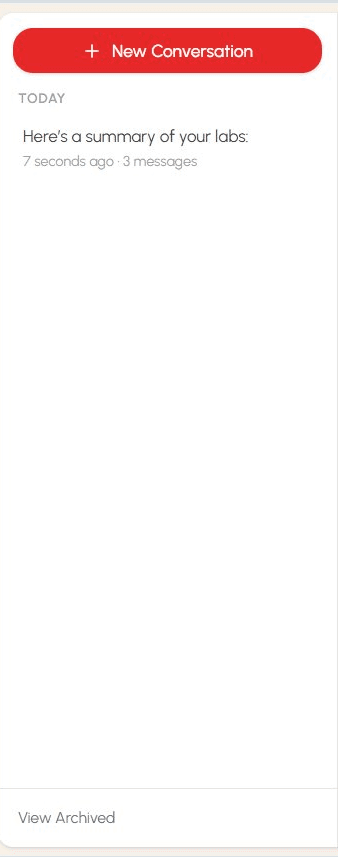
- To start a fresh conversation, select + New Conversation. The main panel returns to the How can I help? screen, ready for a new question.
- To return to a previous conversation, select it from the list. Each conversation shows a preview of its first message, how long ago it was last updated, and how many messages it contains.
- To see conversations that are no longer shown in the main list, select View Archived at the bottom of the panel.
Asking the Assistant a Question
You can ask the Assistant a question in two ways: by selecting a suggested prompt, or by typing your own question.
Using a Suggested Prompt
On the Assistant's home screen, select one of the suggested prompt cards to send that question immediately.
These prompts are shortcuts for some of the most common questions:
| Prompt | What It Does |
|---|---|
| Summarize my labs | Gives you an overview of all your labs. |
| Which submissions need grading? | Lists student submissions that are waiting for review. |
| How are my classes doing? | Summarizes overall progress across your classes. |
| What sessions are active? | Lists the sessions that are currently running. |
Typing Your Own Question
- Select the text field at the bottom of the Assistant window.
- Type your question — for example, "How many students submitted Lab 3?"
- Select the up-arrow button, or press Enter, to send your message.

How is this guide?