

Organization Settings
Manage your organization's profile, security, and subscription details.
The organization's settings allow you to manage organization information, security, and subscription details.
Managing the Organization's Information Details
In the settings overview you can see details about the organization such as the name, logo, and domain, as well as a brief description that can be edited at any time and a language setting to choose from.
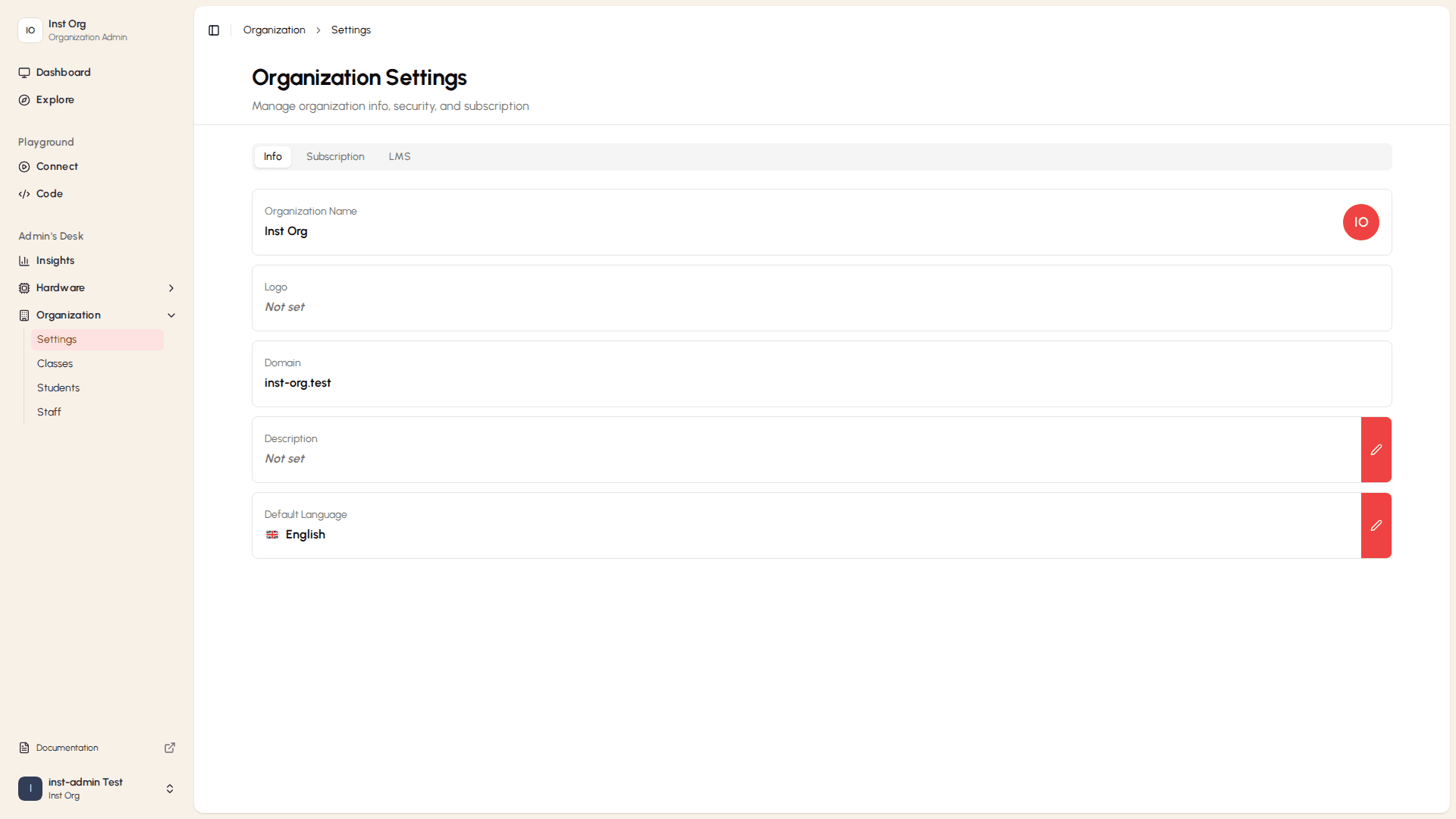
Editing the Description
To edit the description, select the red icon on the right. The edit description bar opens with a text field. After rewriting the description, select Save or Cancel if you changed your mind.
Language Setting
Subscription
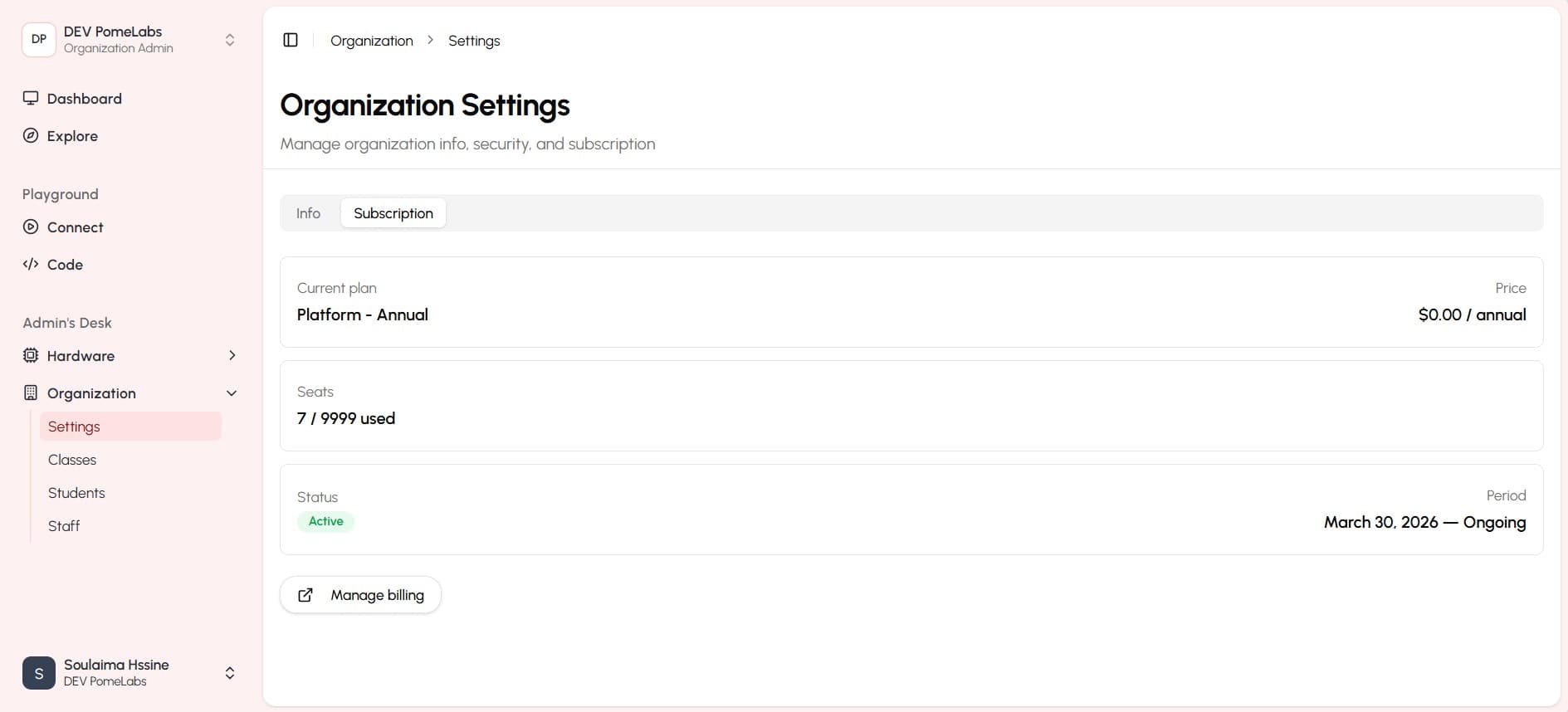
The subscription section provides an overview of your current plan, billing information, and allows you to upgrade or modify your subscription as needed.
How is this guide?